TECHNICAL SERVICE
Repair, Maintenance and Update of Computers
HOME TECHNICAL SERVICE



TECHNICAL SERVICE
Repair, Maintenance and Update of Computers
HOME TECHNICAL SERVICE
Complete diagnosis of your computer at home
Diagnosis and Review
Extensive experience to make an accurate diagnosis when evaluating your computer.
Hardware Repair
The components of your computer will be checked ensuring the life time of each of the pieces.
Increasing RAM
Increasing memory improves the performance of your PC to cope with software updates that increasingly demand from your computer.
Heating Reduction
We perform performance tests on each component to make sure the temperature of the assembly and the fans are working correctly.
SSD Placement
Speed up your PC significantly by adding a solid state disk (SSD). With an SSD your old computer takes on new life.
Software update
We know the elements of a PC better than anyone, which is why we understand the importance of updated software.
Increase in Performance
Our strength is to improve the performance of your computer by increasing components strategically.
Hardware Cleaning
We carry out an exhaustive maintenance on the components of your PC. A professional cleaning helps to keep your equipment working properly.

050-2440614


There are three great enemies of computers: heat, humidity and dust. Excess heat accelerates the deterioration of your computer's delicate circuitry. The most common causes of overheating are dust and humidity: dust-covered vents and fans can block air circulation inside the cover, and even the thinnest layer of dust can raise the temperature of the cabinets. components of your team. That is why it is necessary to keep your system clean inside and out, for which it is advisable to carry out periodic maintenance services.
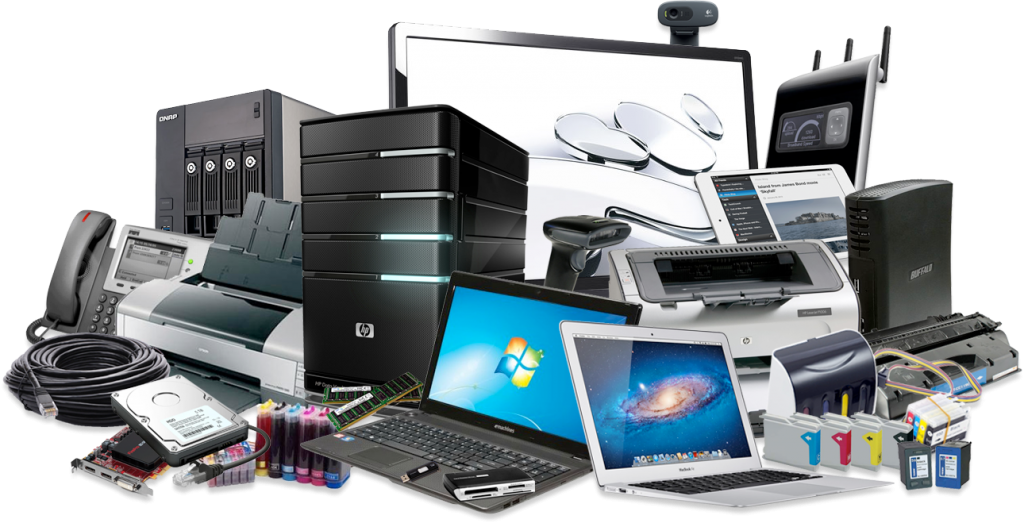
The main objective of preventive maintenance is to extend the useful life of your computer and avoid possible failures in the future, which basically consists of the internal and external physical cleaning of the equipment, as well as an analysis and optimization of the Software that makes up the logical part. of computers.
Inside the External components the cabinet, the monitor, the keyboard and the mouse can be included, within the Internal components subjected to cleaning are the motherboard, adapter cards, cables and connectors, the power supply, RAM memory , fans, DVD drives, CDs.
Finally, the analysis and optimization of the software that makes up the logical part is extremely important to maintain the performance and optimal functioning of the computer. The main reason why this type of maintenance is carried out is the analysis for malware, since these are harmful programs for the computer, they cause instability in the system, drops in computer performance, loss of productivity, power outages. systems and probable errors in it.
To perform optimal maintenance of the software, the following steps are carried out:
Recommendations to keep your computer in good condition
Almost all of these recommendations can be applied to most Operating Systems, although we must always be especially careful with Malware in Microsoft Windows, since it affects our computer using multiple methods.
In some cases, it may be impossible to predict or prevent an error in your computer systems, making corrective maintenance the only option. Corrective Maintenance is a form of maintenance that is carried out after a failure or problem, which arises with the objective of restoring the operation of the system.
If an unforeseen breakdown occurs, it will be repaired in the shortest possible time so that the system, equipment or installation continues to function normally without causing damages; or it will be repaired that which due to an imperative condition requires its arrangement (in case it involves safety, or due to contamination danger, or due to the application of standards, etc.)
Corrective maintenance is applicable in:
Complex systems, normally in electronic components or in those where it is not possible to foresee failures, and in processes that can be interrupted at any time and for any time, without affecting safety.
Equipment in operation that is of some age. In these cases, it may happen that the failure occurs unexpectedly, and generally at the least opportune moment, precisely because the equipment is required by necessity and is required to be fully operational.
A drawback in this type of maintenance is that a pos time must be foreseen in the shortest possible time, with the aggravating factor that they may be discontinued parts, imported or that they are no longer manufactured.
To carry out corrective maintenance, the immobilization of the equipment is sometimes required because the spare parts and elements may not be available quickly, and requires a purchase and delivery management that does not coincide with the real times to start up again the system.
If your computer has any of the following problems:
050-2440614